- Automated reminders, used by 76% of providers, cut no-shows about 38%.
- AI Note Assist cut documentation time by up to 50%.
- Balance Point Wellness clinicians saved about 30 minutes a day on notes.
- Arjun Reyes, MD and Associates saved about $600,000 a year from reminders alone, and reclaimed about $750,000 a year after adopting AI Note Assist.
TL;DR
AI-assisted charting and connected reminders already cut documentation time up to 50% and no-shows about 38% — so choose the best EHR for your practice by how tightly one system ties together clinical notes, billing, and patient tools, then weigh that integration against total cost and onboarding support before you commit.
Small private practices feel EHR pain most when notes, billing, and patient communication live in separate systems. You re-enter the same details, rework claims, and lose time you would rather spend on care.
EHR benefits show up once those workflows stay connected instead of scattered. This guide walks you through the benefits, pricing tradeoffs, ROI, and shortlist criteria that matter for a lean team.
Download our free EHR selection guide, or use our EHR cost savings calculator to size the opportunity for your practice.
What EHR and EMR mean for small private practices
For most small practices, the best EHR is an all-in-one, cloud-based system that connects clinical, billing, and patient workflows in one login. That connection, not the raw feature list, is what turns software into daily time savings.
An EMR is the digital chart inside your practice. An EHR does more: it shares a longitudinal patient history across care settings while linking your clinical, billing, and patient workflows in one place.
For a small private practice, that difference is practical, not academic. An EMR helps you document visits, while an EHR helps you coordinate care, close handoff gaps, and keep operations moving. Our guide to EMR and digital patient records breaks down the distinction further.
The terms are often used interchangeably in marketing, which makes vendor comparisons confusing. When you shortlist systems, ask specifically how the record is shared and whether it connects to billing and patient tools.
Key differences between EHR and EMR systems
The core split comes down to reach: an EMR stays inside one practice, while an EHR is built to travel with the patient. The table below summarizes how that plays out day to day.
| Dimension | EMR | EHR |
| Primary use | Digital charting for a single practice | Comprehensive, integrated patient records |
| Accessibility | Limited to one practice | Interoperable across care facilities |
| Care coordination | Single-practice application | Enhanced coordination and continuity of care |
When you evaluate systems, confirm the vendor is certified under the ONC Health IT Certification Program. That certification sets the interoperability and security criteria a modern EHR should meet.

That distinction matters when you evaluate the best EHR systems for small practices. You're not only buying a cEHR benefits for small private practices: Care, operations, and revenue.
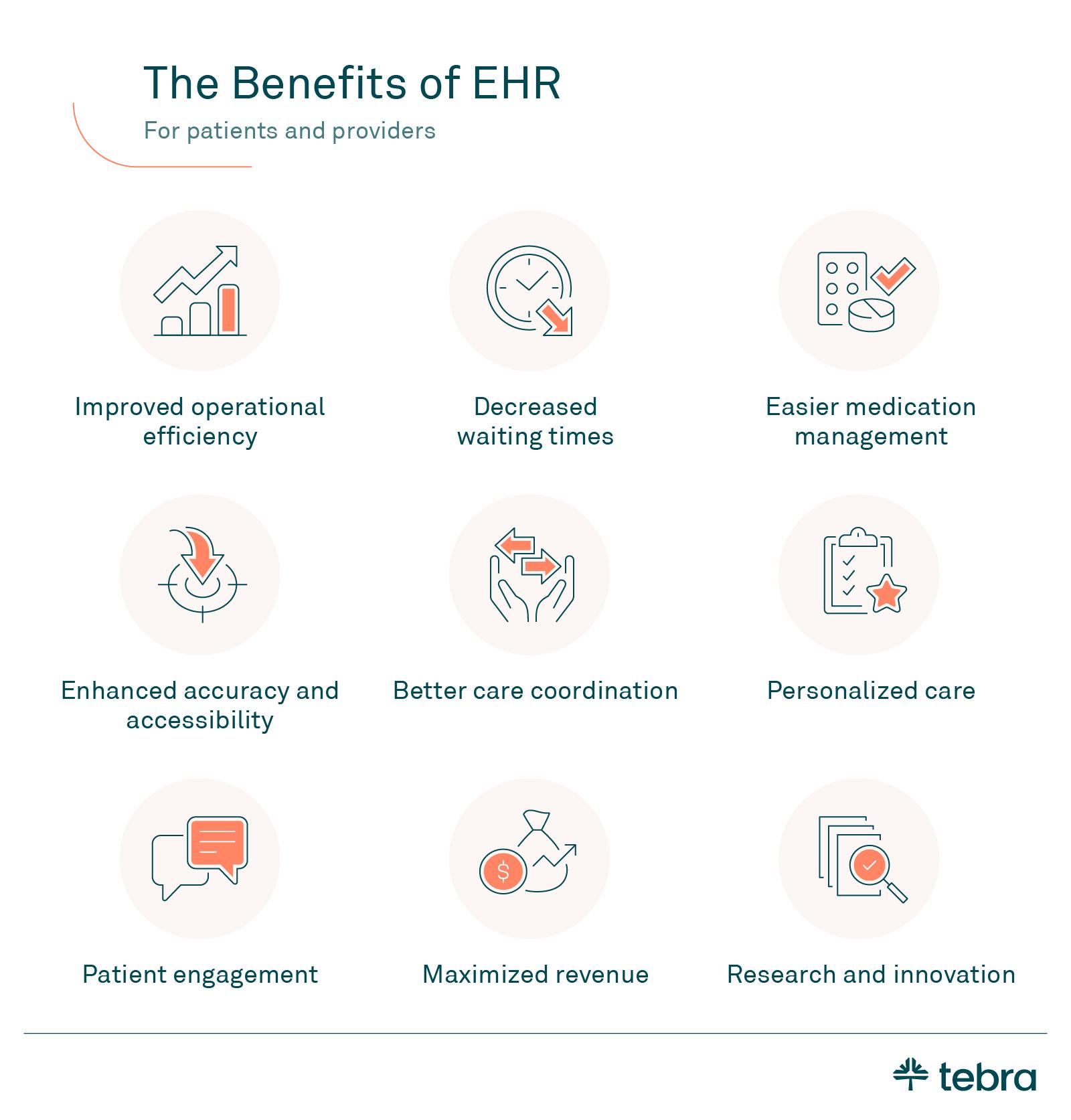
The strongest EHR benefits cluster into three areas: better patient care, less administrative work, and stronger revenue. The Office of the National Coordinator documents these benefits of EHRs across practice types.
For a small practice, these benefits reinforce each other. Better documentation feeds cleaner claims, and cleaner claims free up the time and cash flow that let you invest back in patient care.
Better patient care and care coordination
A connected record gives you real-time access to histories, medications, allergies, and results at the point of care. That visibility reduces guesswork and helps you avoid duplicate tests flagged by the Centers for Medicare & Medicaid Services.
It also supports safer prescribing through ePrescribing with interaction checks, cleaner specialist handoffs, and consistent documentation. Integrated telehealth keeps virtual visits inside the same chart, so nothing lives in a separate tool.
For a physician-owner, this is where software either helps or gets in the way. A record that surfaces the right context at the right moment lets you stay focused on the patient in front of you.
Care coordination also protects against the small errors that compound over time. Shared allergy lists, reconciled medications, and complete visit histories reduce the risk of a missed detail during a busy day.
Less administrative work
A connected EHR automates the repetitive work that drains staff time. It handles scheduling, billing, and documentation from one place, with reusable templates and macros.
The payoff is concrete. At Balance Point Wellness, clinicians cut note-writing by about 30 minutes a day, with some notes finished in three to five minutes.
Stronger billing and cash flow
When documentation and billing share one system, coding gets cleaner and claims auto-populate from the visit. That reduces rework and helps you eliminate claim rejections before they reach the payer.
Eligibility checks: confirm coverage before the visit to prevent surprise denials.
First-pass acceptance: submit cleaner claims so more are paid on the first try.
A/R visibility: track denials and aging in real time. Our billing and payments tools connect this directly to the chart.
For an owner, revenue leakage is often invisible until it adds up. Missed charges, coding gaps, and slow follow-up quietly erode margin in a way a monthly statement rarely reveals.
A connected system closes those gaps at the source. When the charge captures during documentation, there is less chance a billable service slips through before the claim goes out.
Clearer financial visibility also helps you plan. Real-time dashboards show where claims stall, so you can fix the workflow instead of chasing individual denials one at a time.
Patient experience benefits of a modern EHR
Patients now expect the same convenience they get everywhere else: easy booking, digital intake, and follow-up on their terms. A modern EHR delivers that through the patient portal, online scheduling, and automated reminders.
The data backs the priority. In our provider survey, the patient portal was the top patient follow-up channel, used by 56% of providers, ahead of staff phone calls at 55%.
Self-service rescheduling matters just as much. In our patient survey, 69% of patients said they would be more likely to show up if they could reschedule online without calling the office.
Integration is what makes it work. Among providers who offer telehealth, 67% have their telehealth integrated with their EHR rather than running a separate video tool. Our Patient Experience tools tie scheduling, reminders, and intake to the chart and help cut no-shows by about 38%.
Reminders work best when the content is specific. In our provider survey, automated reminders were the top no-show reduction tactic, used by 76% of practices that actively work to reduce missed visits.
The convenience also compounds into retention. When booking, intake, and follow-up are easy, patients are more likely to return. A smoother digital front door keeps them from drifting elsewhere.
Patient expectations keep rising, too. In our patient survey, 68% of patients said they would opt into a waitlist that automatically offers the next open slot. Self-service booking is now table stakes.
These are not abstract preferences. Every reminder answered, form completed online, and waitlist slot filled returns staff time to the front desk. Each one is also a visit that actually happens.
Web search and AI are now part of the picture, as well. In our patient survey, 48% of patients turn to web search and 20% to AI for health information. That raises the stakes on your online presence.
At Arjun Reyes, MD and Associates, automated reminders sent up to two hours before a visit helped the practice save roughly $600,000 a year. Prioritize clear reminders, self-service rescheduling, portal follow-up, and integrated Telehealth.
AI-assisted documentation benefits
AI-assisted charting has moved from novelty to practical benefit for lean teams. Our AI tools draft the note as the visit happens, so documentation no longer eats your evenings.
AI Note Assist cuts documentation time by up to 50%, with notes completed 30% to 50% faster. That drafting happens inside the same EHR, so you review and sign without switching tools.
The financial impact scales with the team. Across an eight-provider group, Arjun Reyes, MD reported reclaiming about $750,000 a year after adopting AI Note Assist.
The point is not to replace clinical judgment. AI-assisted charting drafts the routine parts of the note so you can review, edit, and sign quickly while keeping full control of the record.
Documentation burden is a leading driver of burnout in private practice. Handing the repetitive keystrokes to software gives providers back the after-hours time that manual charting quietly takes away.
For a lean team, that time is the difference between finishing notes at the desk and taking them home. Faster documentation also means fewer copy-paste errors and more complete histories.
Pros and cons of EHR for small practices
Every EHR decision involves tradeoffs. The table below weighs the benefits most small practices gain against the costs they should plan for.
Most of the cons are front-loaded and temporary. The upfront cost, learning curve, and migration effort concentrate in the first few months, while the benefits accrue for years.
That timing is worth naming when you build buy-in with your team. Set expectations that the first weeks will feel slower, then measure the gains once workflows settle.
| Pros | Cons |
| Real-time access to complete records | Upfront licensing and setup cost |
| Streamlined, automated workflows | Temporary workflow disruption during rollout |
| Fewer claim errors and denials | Learning curve for staff |
| Stronger care coordination | Data migration effort from legacy systems |
| HIPAA audit trails and security controls | Vendor dependence over time |
| Better patient engagement and retention | Fragmentation cost if tools are poorly integrated |
Features that separate stronger small-practice EHR options
Strong systems map features to outcomes, not just checkboxes. Prioritize capabilities that remove friction from your specific day.
Clinical core: charting, ePrescribing, integrated Telehealth, and electronic labs in one record.
Operations: appointment scheduling, secure two-way messaging, and billing support that shares data with the chart.
Growth: patient engagement tools, interoperability, automation, and modular options you can add as you scale.
Compliance: HIPAA-compliant, ONC-certified records with audit trails. See how our EHR software brings these together.
Specialty fit matters as much as the feature list. A behavioral health practice, a primary care clinic, and a nurse practitioner–led practice each need templates and workflows tuned to how they actually document.
Regulatory support belongs on the list too. Built-in MACRA and MIPS support and electronic labs keep quality reporting and results inside the same system instead of a spreadsheet.
Finally, look for room to grow. Modular tools let you add capabilities as your practice expands, so you are not forced into a disruptive system change a year later.
Cloud vs. on-premise EHR for small practices
Most small practices are better served by a cloud-based EHR. It lowers upfront cost, delivers automatic updates, and adds secure remote access without a server in the closet.
On-premise systems can make sense when a practice has specific data-control requirements. They do require dedicated IT resources for maintenance, backups, and security, which most lean teams cannot staff. For the majority of solo and small practices, cloud-based wins on cost and simplicity.
Cloud systems also improve resilience. Automatic backups and vendor-managed security patches reduce the risk that a hardware failure or missed update takes your records offline.
Remote access is a practical bonus for lean teams. Providers can finish notes or review a chart from home, and staff can cover scheduling from anywhere without a VPN or an on-site server.

Cost considerations and hidden fees for small practices
Judge cost by total cost of ownership, not the monthly sticker price. The real cost of EHR software includes several line items that are easy to miss.
- Implementation and migration: setup, data import, and configuration fees. Our implementation checklist covers what to plan for.
- Required add-on modules: features you assumed were included but are billed separately.
- Pricing model: a flat subscription versus a percent-of-collections model changes cost as you grow.
- Downtime and support: whether onboarding, training, and support are included or extra.
How to compare and choose the best EHR for small practices
Score vendors against private-practice realities, not enterprise checklists. Weight the criteria that affect your day the most.
- Usability and speed to proficiency for your staff
- Interoperability with labs, pharmacies, and referral partners
- Billing depth and denial-management support
- Patient-facing tools: portal, scheduling, and reminders
- AI-assisted documentation that keeps you in control
- Support model and onboarding included in the price
- Total cost and expected ROI over three years
Score each vendor on the same scale so the comparison stays honest. A system that wins on features but loses on usability rarely delivers the promised savings once staff start using it every day.
Weight the criteria toward the problems you feel most. A practice drowning in denials should score billing depth higher, while a growing practice may prioritize scheduling and patient access.
Once you have a shortlist, see the system in your own workflow. Request a free demo before you commit.
How to implement an EHR in a small practice
A smooth rollout is mostly planning. Treat implementation as a project with an owner, a timeline, and clear training.
The biggest risk is underestimating data migration. Decide early what to bring over and confirm the vendor's onboarding team owns the heavy lifting, not your front desk.
Communication keeps the rollout calm. Tell patients about new portal and scheduling options before launch, so the change feels like an upgrade rather than a disruption to their care.
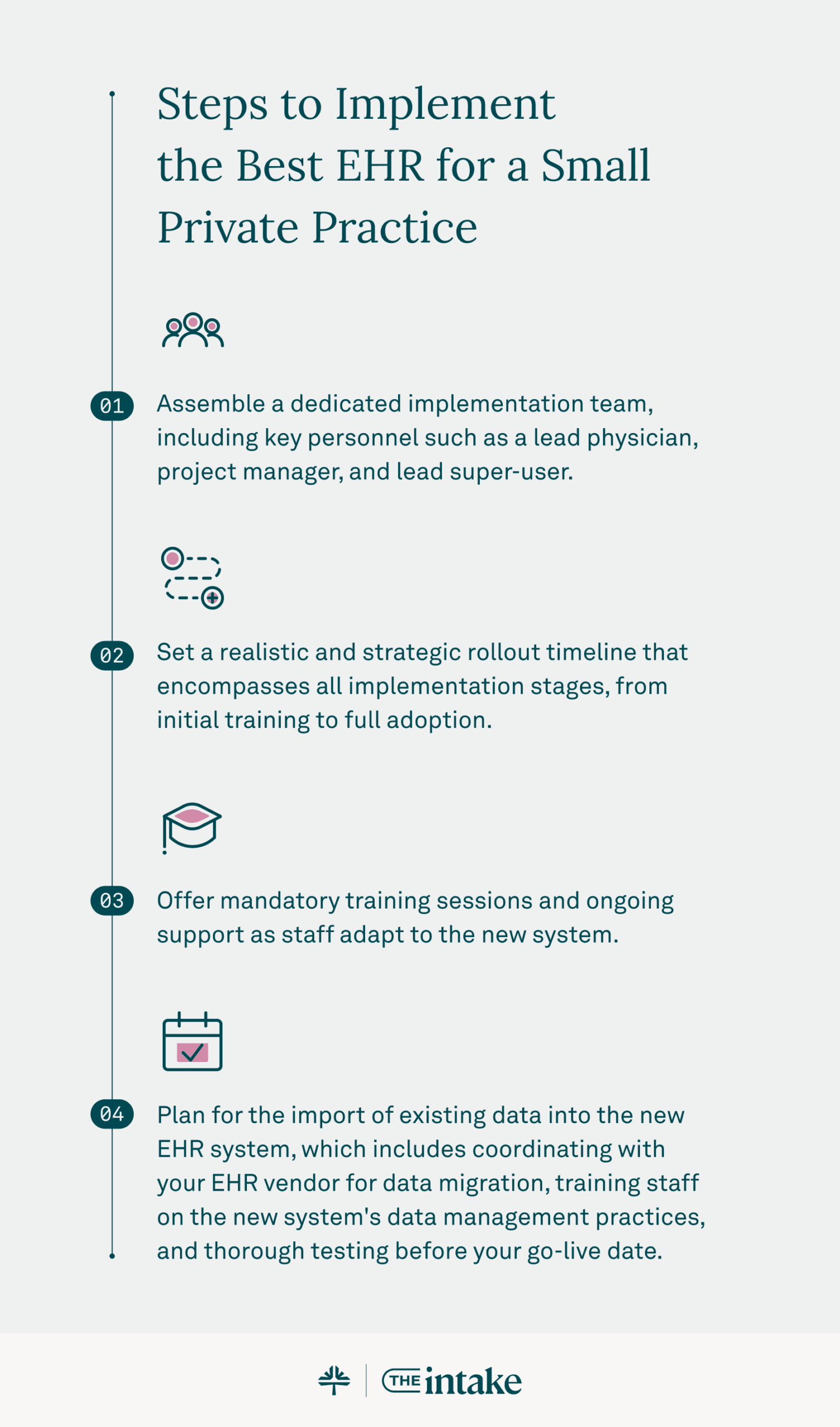
Steps to implement the best EHR for a small private practice:
- Plan your data import and decide what to migrate versus archive
- Assemble an implementation team: a lead physician, a project manager, and a super-user
- Set a realistic rollout timeline with buffer for testing
- Make training mandatory and staff the floor with support during go-live
How to measure EHR impact after go-live
Set baselines before launch, then track the same metrics monthly. Consistent benchmarks show whether the system is delivering.
- Patient wait and rooming time
- Documentation turnaround and same-day note completion
- First-pass claim acceptance and days in A/R
- No-show and late-cancellation rates
- Portal adoption and digital intake completion
- Telehealth utilization
Balance Point Wellness used this kind of tracking to confirm its documentation time savings held up as the practice scaled. Baselines turn a gut feeling into evidence you can act on.
Review the numbers with your team each month and adjust workflows where a metric stalls. Small, steady corrections after go-live are what turn a new EHR into lasting operational gains.
Best EHR approach for solo and small practices
The practices that get the most from an EHR pick one connected, cloud-based system that matches their specialty workflows. They prioritize usability and migration support over the longest feature list.
The goal is not more software. It is fewer systems, fewer logins, and more time for the work only you can do. That is how a small practice competes with far larger organizations.
That is the approach our EHR+ platform is built around: clinical documentation, billing, scheduling, and patient engagement in one login, with AI-assisted charting that keeps you in control. When you are ready to see it in your own workflow, request a free demo.
Frequently asked questions

- Current Version – Sep 21, 2026Written by: Debbie HoffmanChanges: This article was updated to include the most relevant and up-to-date information available.
- Sep 12, 2025Written by: Jean LeeChanges: This article was updated to include the most relevant and up-to-date information available.
- Sep 10, 2025Written by: Ryan YatesChanges: This article was updated to include the most relevant and up-to-date information available.
- Aug 20, 2025Written by: Jean LeeChanges: This article was updated to include the most relevant and up-to-date information available.





Subscribe to The Intake: A weekly check-up for your independent practice